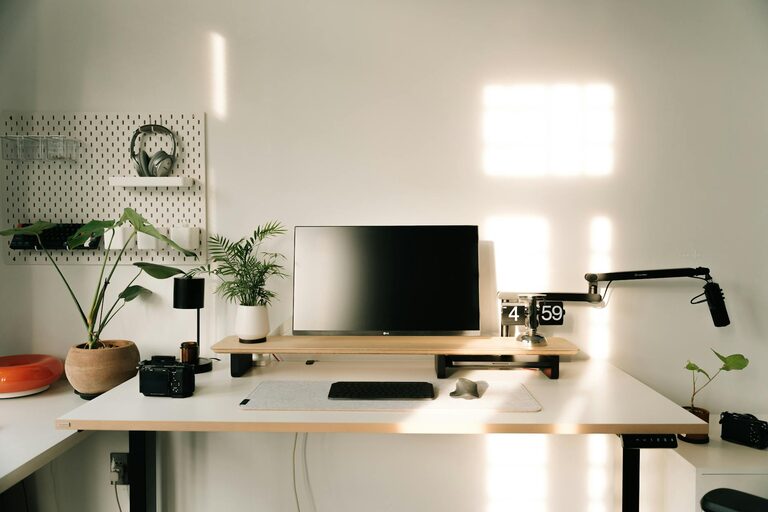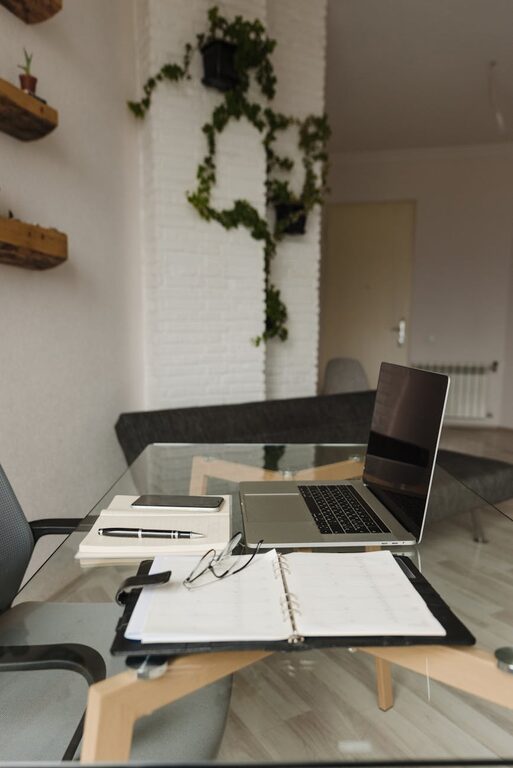

Creating a productive home workspace is essential for anyone who works remotely or spends a significant amount of time on tasks at home. A well-designed workspace can improve your focus, comfort, and overall efficiency. Whether you have a dedicated room or a small corner, these tips will help you build an environment that encourages productivity.
Choose the Right Location
The foundation of a productive workspace starts with location. Select a spot that minimizes distractions and allows you to concentrate.
– Quiet area: Ideally, find a quiet part of your home away from high-traffic zones like the kitchen or living room.
– Natural light: Position your desk near a window to benefit from natural light, which can improve mood and reduce eye strain.
– Space considerations: Make sure the area is spacious enough for all your work essentials and leaves room for movement.
Invest in Comfortable Furniture
Comfort is key to staying productive throughout the day. Invest in furniture that supports good posture and reduces fatigue.
– Ergonomic chair: Choose a chair that supports your back and encourages proper alignment.
– Desk height: Your desk should be at a height where your elbows can rest comfortably at 90 degrees.
– Adjustable options: If possible, use a sit-stand desk to alternate between sitting and standing during work hours.
Organize Efficiently
A cluttered workspace can lead to a cluttered mind. Keeping your area tidy helps maintain focus and reduces stress.
– Storage solutions: Use shelves, drawers, or bins to keep supplies accessible but out of sight.
– Minimalism: Keep only what you need on your desk to avoid distractions.
– Cable management: Use clips or ties to organize cables and prevent tangling.
Optimize Lighting
Good lighting reduces eye strain and creates a pleasant environment.
– Layered lighting: Combine natural light, overhead lighting, and a desk lamp for balanced illumination.
– Avoid glare: Position screens and lights to minimize glare on your computer.
– Color temperature: Use bulbs with a daylight color temperature to mimic natural light and stay alert.
Personalize Your Space
Adding personal touches can increase your enjoyment and motivation.
– Decor: Include artwork, plants, or photos that inspire you.
– Colors: Choose colors that calm or energize you based on your preferences.
– Scent: A subtle scent like lavender or citrus can boost mood and focus.
Minimize Distractions
Focus is crucial for productivity. Take steps to limit interruptions.
– Silent mode: Turn off phone notifications or use “Do Not Disturb” during work sessions.
– Noise control: Use noise-canceling headphones or white noise machines if needed.
– Clear boundaries: Set clear work hours and communicate them to household members.
Establish a Routine
A consistent routine creates structure and signals your brain that it’s work time.
– Set work hours: Decide when to start and finish your workday.
– Breaks: Schedule regular breaks to rest your eyes and stretch.
– Start rituals: Develop a ritual like making coffee or reviewing your to-do list to begin your day.
Use Technology Wisely
Technology supports productivity when used correctly.
– Good internet connection: Ensure you have a reliable and fast internet service.
– Productivity apps: Use apps for task management, time tracking, or note-taking.
– Regular backups: Protect your work by backing up files frequently.
Keep Healthy Habits in Mind
Your physical well-being directly affects productivity.
– Stay hydrated: Keep water nearby and drink regularly.
– Stretch and move: Incorporate small stretches or short walks during breaks.
– Eye care: Follow the 20-20-20 rule — every 20 minutes, look at something 20 feet away for 20 seconds.
—
By thoughtfully designing your home workspace with these tips, you can create an environment that supports focus, comfort, and productivity. Remember that small changes can make a big difference, so start with what feels manageable and adjust your setup as you learn what works best for you.